
Welcome to NFH Fabric Support
1. Overview
This guide explains how to use the NFH Fabric Support to get help with questions, issues, or requests.
2. Who is this guide for
• Implementors who need help on a NFH Fabric related issue.
• Anyone submitting feedback, bug reports, or general enquiries.
3. Accessing the Support Channel
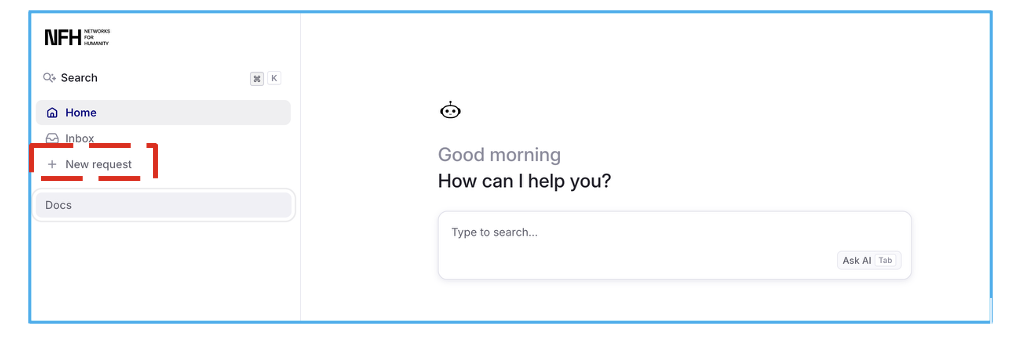
1. Implementors can access the support portal using: https://docs.nfh.global/
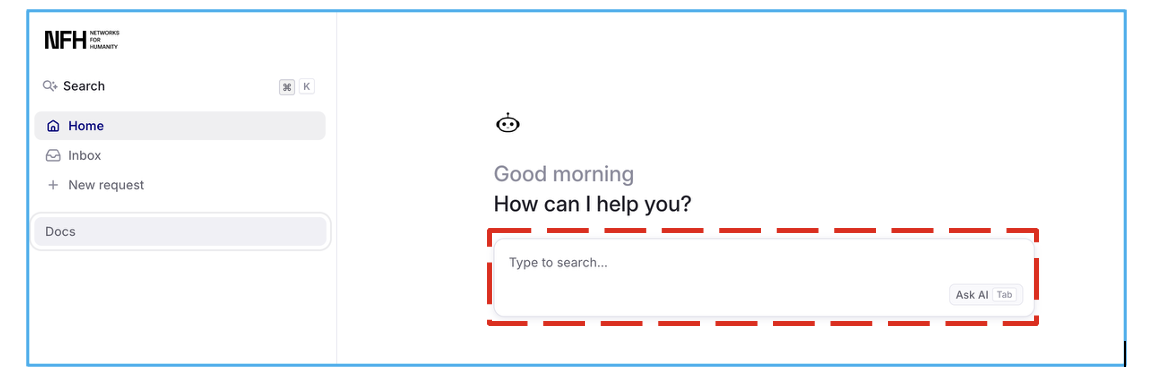
2. Type your question and click “Ask AI" Tab. The AI chat bot shall respond to your queries.
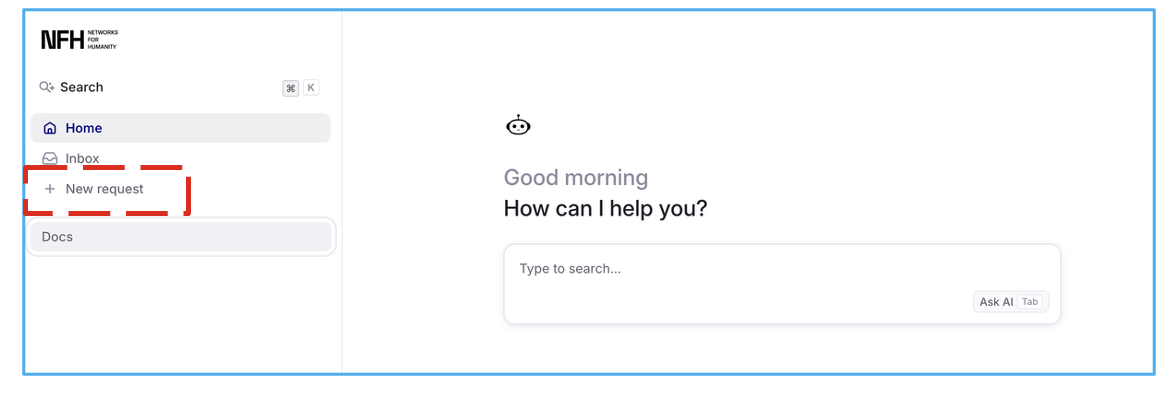
3. If you require further assistance, Please click on the “New request” tab
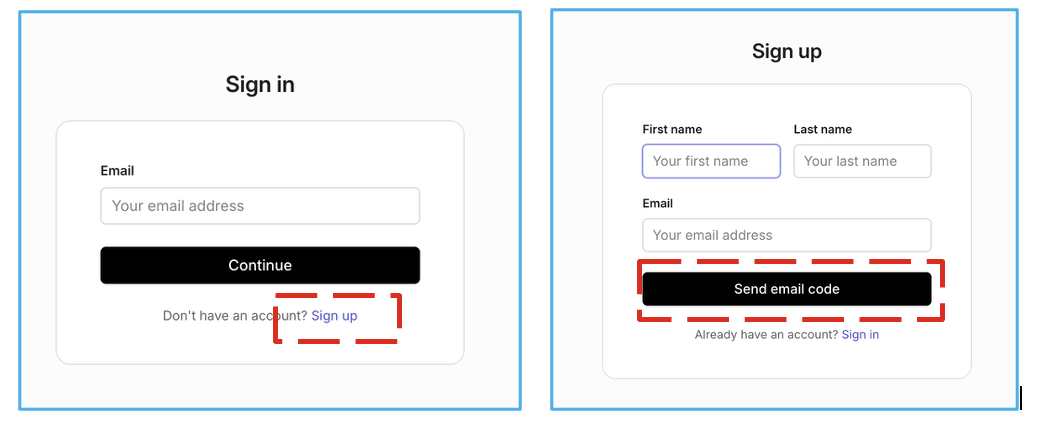
4. For first time users, Click sign up and capture your first name, last name & email id. Click “Send email Code
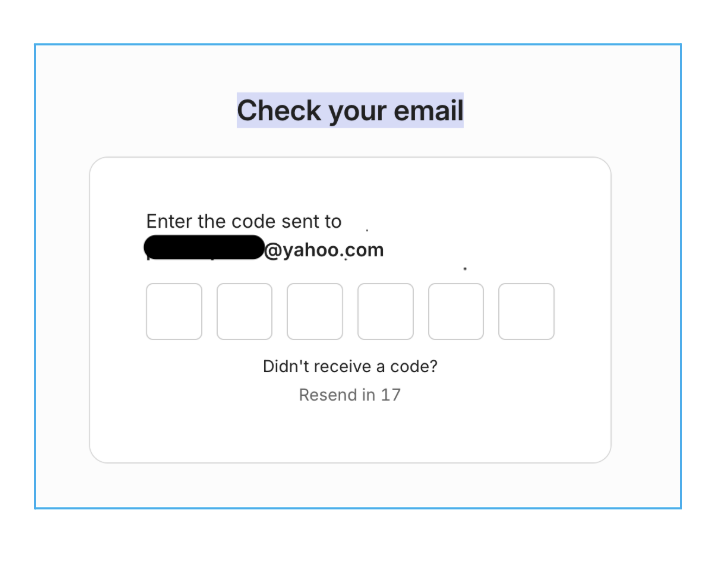
5. Capture the 6-digit email code sent to your email id and you are now ready to send a support request.
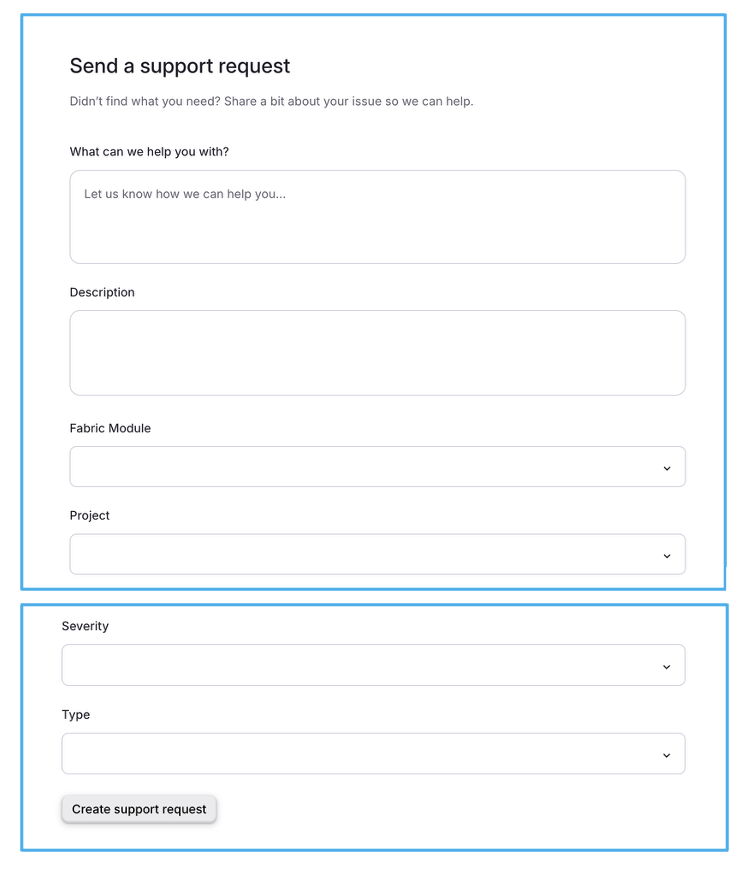
6. How to send a detailed support request? Kindly fill up the form with the details given below;
a. Explain the “Problem statement” on what help you need from NFH?
b. Describe the issue in as much detail as possible.
c. Select the “Fabric Module” from the drop down provided
d. Select the “Project” from the drop down provided
e. Select the “Severity” of the request from the drop down provided
f. Select the “Type” of request from the drop down provided
g. Click on the “Create support request” button
4. Tracking Your Request
Your submitted request could be tracked in the tab “Inbox”.
5. Frequently Asked Questions
1. Do I need an account to submit a request?
Yes, you need to sign up to submit a request.
2. Can I submit a request outside business hours?
Yes. The Support channel is available 24/7, we recommend using the AI bot to resolve your queries.
3. How will I know someone has responded?
You'll receive an email notification.
6. Do’s & Don't
Do's
a. Use clear, plain language — avoid jargon or internal terminology.
b. Use the AI to get your queries answered.
c. Ask relevant query related to the services we offer.
d. Protect user privacy.
Don’ts
a. Share unnecessary personal/sensitive data
b. Use canned, copy-paste responses that ignore the specifics of the issue
c. Take frustration personally or respond defensively
d. Go silent or stall when a conversation gets tense